Managing Schedules Across Multiple Lawyers
Running a law office with multiple attorneys presents unique scheduling challenges. When you have several lawyers working simultaneously, each with their own clients, court appearances, and deadlines, the complexity multiplies quickly. Poor scheduling coordination can lead to missed appointments, double-bookings, and frustrated clients—all of which damage your reputation and bottom line.
The good news is that with the right approach and tools, managing multiple lawyer schedules becomes manageable and even streamlined. This guide walks you through practical strategies to keep your office running smoothly.
The Challenges of Multi-Lawyer Scheduling
When you're the only lawyer in your office, scheduling is straightforward. But add a second attorney, and complexity emerges immediately. You now need to:
- Prevent double-bookings of shared resources like conference rooms
- Coordinate client appointments across different practice areas
- Manage court dates and filing deadlines for multiple attorneys
- Handle staff availability for different lawyers' needs
- Accommodate client preferences for specific attorneys
- Cover for attorneys when they're unavailable
These challenges compound as your firm grows. Without a centralized system, you risk scheduling conflicts that waste time and create embarrassing situations with clients and courts.
Establish Clear Scheduling Protocols
Before implementing any tool, your office needs clear rules about how scheduling works. Document these protocols and ensure all staff understand them:
- Booking windows: Define how far in advance appointments can be scheduled and minimum notice for cancellations
- Attorney availability: Specify which days and hours each lawyer works, including any part-time arrangements
- Blocked time: Clearly mark court days, travel time, administrative work, and personal time for each attorney
- Appointment types: Different matters may require different time allocations—consultations, document reviews, and trial preparation all take different lengths
- Conflict resolution: Create a clear process for handling scheduling conflicts when they arise
These protocols become the foundation for how your team schedules appointments and manages your lawyers' time.
Use a Centralized Appointment Management System
Manual scheduling—whether through email, phone calls, or spreadsheets—breaks down quickly with multiple lawyers. A centralized appointment management system ensures everyone sees the same information and reduces errors.
Look for a platform that allows you to:
- View all lawyers' calendars simultaneously
- See real-time availability across your entire team
- Prevent double-booking automatically
- Set different availability windows for each attorney
- Track client preferences and history
- Send automated reminders to clients and staff
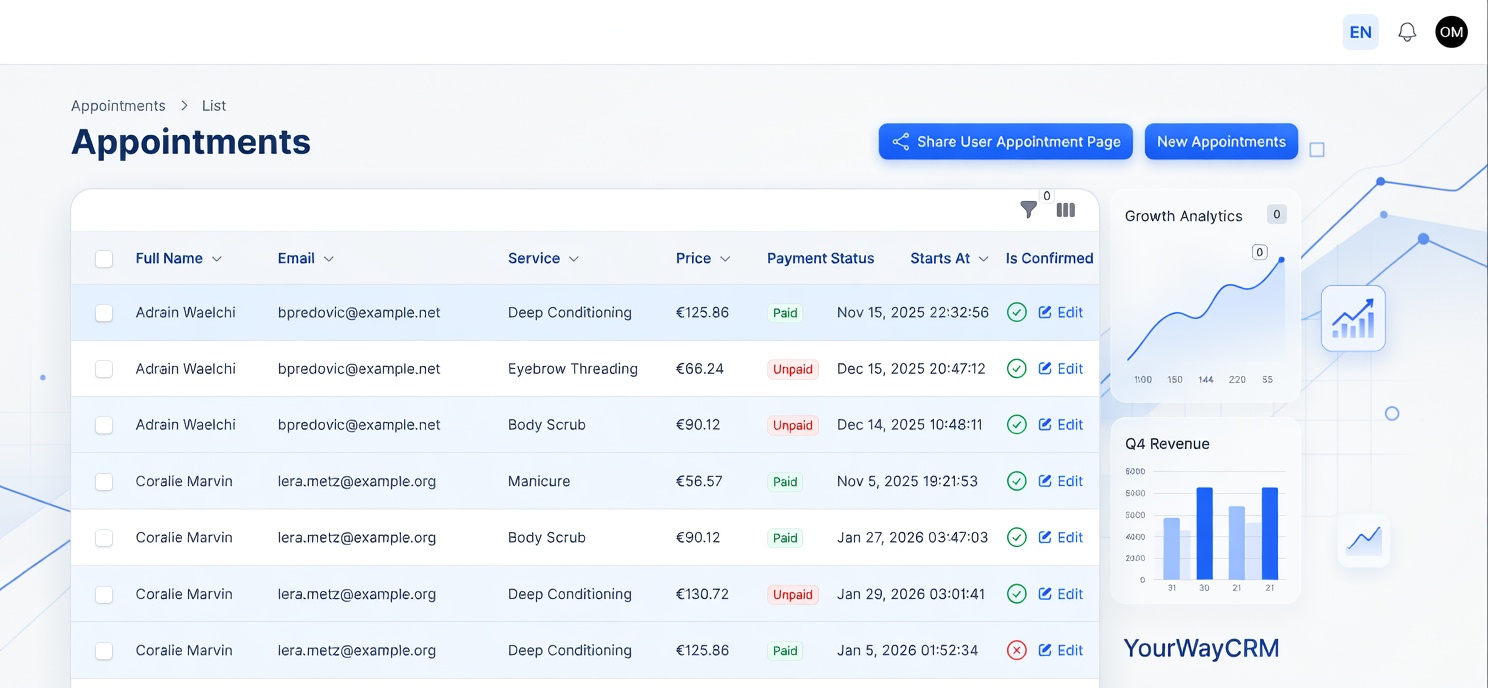
YourWayCrm, for example, enables you to manage schedules for multiple lawyers from one dashboard, color-code different attorneys' calendars, and instantly see who's available when a client calls or emails requesting an appointment.
Color-Code and Organize by Attorney
Visual organization matters. Use color-coding in your scheduling system to instantly identify which lawyer is booked when. This simple practice:
- Reduces scheduling errors by making conflicts immediately visible
- Helps staff quickly answer client questions about availability
- Makes it easy to spot gaps in your schedule
- Simplifies coverage planning when an attorney is sick or in trial
Combine color-coding with clear labeling of appointment types (client meeting, court appearance, administrative time) to give your team complete visibility into each lawyer's schedule.
Manage Shared Resources and Spaces
Beyond scheduling lawyers themselves, you need to coordinate shared resources. Conference rooms, document review spaces, and reception time are all finite resources that multiple attorneys may need simultaneously.
Your scheduling system should allow you to block time for shared spaces just as you do for attorneys. When booking a client meeting, the system should require both the lawyer's availability and an available conference room. This prevents situations where you've scheduled a meeting but have nowhere to hold it.
Build in Buffer Time and Flexibility
Real legal work rarely fits into neat time slots. Meetings run long, clients arrive late, and unexpected issues arise. When scheduling multiple lawyers, build in buffer time:
- Leave 15-30 minutes between back-to-back appointments for notes and transitions
- Block time for attorneys to handle urgent matters that arise
- Keep some appointment slots open rather than filling every available minute
- Account for travel time between office and court
This buffer time prevents cascading delays where one late appointment throws off an entire day's schedule for multiple lawyers.
Handle Cancellations and Changes Efficiently
When a client cancels or an appointment needs to move, having a system to quickly communicate this change across your team is essential. Your scheduling tool should:
- Allow instant updates visible to all staff
- Send notifications to relevant team members when appointments change
- Track cancellation reasons for pattern analysis
- Suggest alternative appointment times automatically
Quick communication about cancellations means your lawyers can use freed-up time productively rather than waiting around for appointments that won't happen.
Communicate Clearly About Availability
Your clients, opposing counsel, and court staff all need to know when your lawyers are available. Make this information easily accessible:
- Display attorney availability on your website
- Include availability information in email signatures
- Provide clients with multiple ways to check availability (phone, email, online booking)
- Update your team immediately when availability changes
When clients and opposing counsel understand your lawyers' availability, they can work with you more efficiently and there's less back-and-forth about scheduling.
Plan for Coverage and Absences
Every law office faces absences—vacation, illness, court appearances, and professional development all take lawyers away from their regular schedule. Plan for these in advance:
- Block vacation time months in advance
- Assign backup attorneys for each lawyer's regular clients
- Brief backup attorneys on ongoing matters
- Communicate changes to clients early
- Update your scheduling system immediately
Proactive planning means clients always know who they'll be working with and there's no scramble when an attorney is unavailable.
Review and Adjust Regularly
Your scheduling system isn't set-and-forget. Review it regularly to identify patterns and improve efficiency:
- Analyze which appointment types consistently run over
- Identify peak scheduling times and bottlenecks
- Gather feedback from lawyers about their availability blocks
- Adjust time allocations based on actual practice patterns
- Update protocols as your firm grows or changes
Monthly or quarterly reviews help you continuously refine your scheduling to match the reality of how your office operates.
Conclusion
Managing schedules across multiple lawyers requires clear protocols, centralized systems, and ongoing attention. By implementing these strategies and using a dedicated appointment management system like YourWayCrm, you can eliminate scheduling conflicts, improve client satisfaction, and help your lawyers focus on what they do best—serving clients. The investment in proper scheduling pays dividends through reduced errors, better resource utilization, and a more professional client experience.